
Delta Sharing open sharing protocol.
Delta Sharing is an open standard for secure data sharing. Nexalis uses Delta Sharing to provide users with seamless access to shared datasets across different environments. This allows you to query data directly in Python, JAVA or Spark without needing complex integration steps, enabling seamless data sharing across organizations. For reference:Credential File
When Nexalis shares a dataset with you, you will receive an email with a one-time download link. Clicking this link will take you to a Databricks portal where you can download a credential file. This credential file is essential for connecting data to various applications. Safely store this credential, as there won’t be an option to redownload it later. The link should direct you to: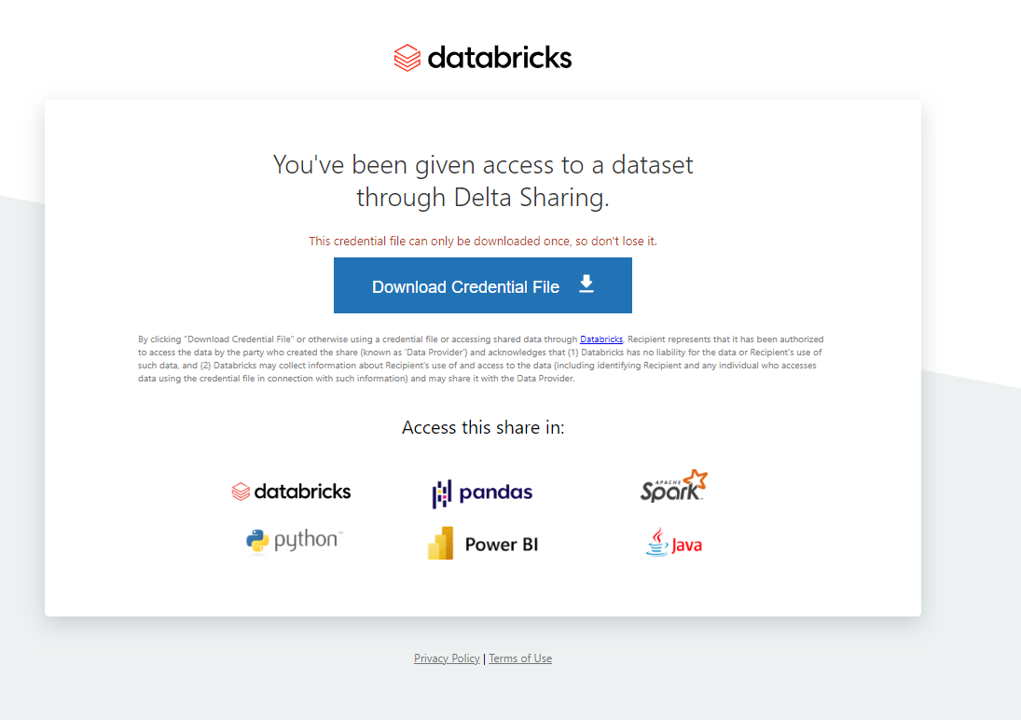
- shareCredentialsVersion: protocol version used.
- bearerToken: token that grants you access.
- endpoint: the Delta Sharing endpoint URL.
- expirationTime: when the credential becomes invalid.
Consuming the data
In this method, Nexalis provides data through the open Delta Sharing protocol, which is not limited to Python. You can access the same shared datasets from multiple programming languages and tools, such as R, Scala, Java, and BI platforms. The tutorial below focuses on Python and Spark because they are the most common for data analysis and pipelines, but you are free to use other environments. For additional examples, please refer to the official Delta Sharing documentation and tutorials:Python Example
Delta Sharing with Python and Spark — How to Run Locally
Nexalis provides you with a secure credential file (config.share) and the fully qualified table names you are allowed to access.
You can read these shared tables on your machine in two ways:
- Method A — Embedded Python: run from a normal Python process and create a SparkSession in-process. Best for ad-hoc exploration and small pulls.
- Method B — spark-submit: run a standalone local Spark job with explicit packages and classpath. Best for larger data, repeatable jobs, and especially for real-time/“only new data” streaming using Spark Structured Streaming.
What Nexalis Provides
Nexalis will share with you:- The credential profile file:
config.share(keep it safe and do not alter it). - One or more Delta Sharing table names in the format:
<user-name> with your assigned Nexalis username.Replace
<client-name> with your organization’s client name.Replace
<table> with the shared table name.
Prerequisites
- A supported Java runtime (JDK 8/11/17). Make sure
JAVA_HOMEpoints to it. - For Method A: Python 3.8+ and pip.
- For Method B: Local Spark 3.4.2 (see installation steps below).
Method A — Embedded Python (Spark created in-process)
When to use: quick exploration, notebooks, small to medium pulls, minimal setup. How it works: install Python libraries, keepconfig.share next to your script, start a SparkSession inside Python, and query the shared table.
Steps
- Install the required libraries:
-
Place
config.sharein a safe location (for example, next to your script). - Build the table URL in your script:
- Minimal example (batch read):
tsConnectoris an epoch timestamp in milliseconds. Adjust filters to your time window.- This method produces a batch snapshot. For larger pulls or continuous updates, use Method B.
Method B — spark-submit (standalone Spark)
When to use: heavier data, repeatable jobs with full logs, or when you need real-time “only new data” ingestion. How it works: install Spark locally, then launch your script withspark-submit, including the Delta Sharing connector package.
One-time Spark Setup
Batch launch template (snapshot reads)
Real-Time Refresh with Structured Streaming
For continuous ingestion of only new data, use Spark Structured Streaming. Unlike periodic batch jobs, a streaming job runs continuously, processing micro-batches (e.g., every 30 seconds). Spark automatically tracks progress in a checkpoint so that previously processed rows are not re-read.Minimal streaming example
Writing Streaming Data to Outputs
Every Structured Streaming job must define a sink (output destination). Common options:Console (testing/debugging)
Displays records in the terminal.Parquet / Delta Files (persistent storage)
Stores results for later queries or integration into pipelines.Database / API (integration with dashboards or apps)
Pushes each micro-batch into an external system.checkpointLocation to ensure Spark tracks what data has already been processed.
Launching with spark-submit
Why Streaming is Different from Periodic Batch
- Periodic batch (cron + spark-submit): each run starts fresh. Without custom logic (like tracking the last timestamp), it may re-read old data.
- Structured Streaming (spark.readStream): one long-lived Spark job. It tracks progress in checkpoints and automatically processes only new data each trigger.
Choosing a Method
| Method | Best For | Limitations | Example Use Cases |
|---|---|---|---|
| Method A — Embedded Python | Quick exploration, notebooks, small to medium data pulls | Not optimized for large-scale jobs; limited logging and monitoring | Interactive analysis, prototyping in Jupyter notebooks, testing queries |
| Method B — spark-submit (Batch) | Large repeatable snapshots, ETL jobs, controlled pipelines | Requires Spark installation and setup; each run starts fresh (may re-read old data if not handled) | Scheduled data extractions, periodic reporting, building data pipelines |
| Method B — spark-submit (Streaming) | Near real-time ingestion and continuous updates | More complex setup; requires checkpointing and monitoring; long-running job | Real-time dashboards, alerting systems, streaming ETL into databases |
Checklist to Avoid Pitfalls
- Java/Spark prerequisites: ensure
JAVA_HOMEpoints to a compatible JDK (8/11/17). - Version alignment: keep Spark at 3.4.2 and the Delta Sharing connector at
io.delta:delta-sharing-spark_2.12:0.6.4. - Path to config.share: use a correct relative or absolute path.
- Time filters:
tsConnectoris in epoch milliseconds. Convert your time windows. - Local parallelism: add
--master local[*]if you want Spark to use all cores. - Streaming durability: always configure a
checkpointLocation. - Table access: make sure
<user-name>.<client-name>.<table>matches exactly what Nexalis shared with you.